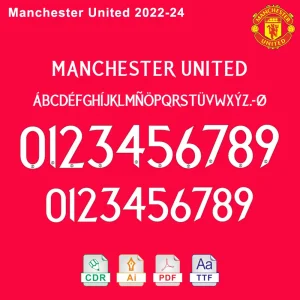
 Manchester United 2023-24 Font Download
$5.00
Legal security testing uses the original THC-Hydra (not a DLL version). Proper use requires:
Legitimate learning resources:
I cannot and will not provide steps to bypass authentication on systems you don’t own. If you need help with authorized penetration testing, clarify your use case, and I’ll point you to legal, ethical resources.
An analysis of the hydra5x64.dll file suggests it is a 64-bit dynamic link library (DLL) file often associated with specific software or toolsets, though its exact "legitimate" origin can vary.
Below is a review based on its technical profile and safety reputation: File Overview hydra5-x64.dll hydra5x64.dll : 64-bit Portable Executable (PE) DLL Common Associations
: While "Hydra" is a name used by various software, this specific DLL name is frequently flagged in the context of network testing tools password recovery utilities game-related modifications Hybrid Analysis Safety and Risk Analysis Security Reputation
: Files with this name have appeared in sandbox reports like Hybrid Analysis , where they are scanned for malicious behavior. DLL Hijacking Risk
: Like many DLLs, if this file is placed in an untrusted directory, it can be used for "DLL sideloading," a technique where a legitimate application is tricked into running malicious code. False Positives
: Security software often flags tools named "Hydra" (especially those used for brute-forcing or penetration testing) as "Potentially Unwanted Programs" (PUPs) or malware, even if the user intended to install them. Bitdefender TechZone Common Issues and Solutions If you are seeing errors related to this file: Missing File : If a program fails to launch because hydra5x64.dll is missing, try reinstalling the specific application
it came with rather than downloading the DLL from third-party sites, which can be unsafe. Antivirus Blocking
: If your security software has quarantined the file, check if it was part of a tool you knowingly installed. If you did not install such a tool, let the antivirus remove it , as it may be a persistent threat. System Verification sfc /scannow
command in the Windows Command Prompt to check for system file integrity, though this primarily fixes core Windows DLLs rather than third-party ones. Microsoft Learn
: The "best" version of this file is always the one included in the original installer
of the software you are using. Avoid downloading it from "DLL fix" websites, as these are common vectors for malware. Microsoft Learn or a specific software developer associated with this file?
Safe site for downloading dll files? (yes, seriously) - Microsoft Q&A
The Ultimate Guide to Hydra5x64.dll: Unlocking the Best Solutions for Your System
Are you tired of encountering errors related to Hydra5x64.dll on your computer? Do you struggle to find the best solutions to fix these issues and optimize your system's performance? Look no further! In this comprehensive article, we'll dive into the world of Hydra5x64.dll, exploring what it is, why it's essential, and most importantly, how to find the best Hydra5x64.dll solutions for your system.
What is Hydra5x64.dll?
Hydra5x64.dll is a dynamic link library (DLL) file that plays a crucial role in the functioning of various software applications and games on your computer. Specifically, it's a 64-bit DLL file that contains code and data used by multiple programs to ensure their smooth operation. The "Hydra" prefix suggests a connection to the Hydra technology, which might be related to a specific software or game development framework.
Why is Hydra5x64.dll Important?
The Hydra5x64.dll file is vital for several reasons:
Common Issues with Hydra5x64.dll
Users often encounter errors related to Hydra5x64.dll, including:
Finding the Best Hydra5x64.dll Solutions
To resolve Hydra5x64.dll-related issues and optimize your system's performance, follow these steps:
Top Hydra5x64.dll Solutions
Based on user reviews, expert recommendations, and effectiveness, here are some top solutions for Hydra5x64.dll-related issues:
Prevention is the Best Medicine
To avoid Hydra5x64.dll-related issues in the future: hydra5x64dll best
Conclusion
In conclusion, Hydra5x64.dll is a crucial DLL file that plays a significant role in the functioning of various software applications and games. By understanding its importance and taking proactive steps to maintain system health, you can minimize the risk of Hydra5x64.dll-related issues. If you do encounter problems, try the solutions outlined in this article to find the best Hydra5x64.dll fix for your system.
"hydra5x64dll" appears to be the filename of a Windows DLL associated with a program or component named "Hydra" (or similarly named software). Files with names like this are often part of:
Because the query is ambiguous, below are practical checks, findings, and recommended actions to determine whether a particular hydra5x64dll file is safe and how to handle it.
If you want, I can:
hydra5-x64.dll is primarily associated with cracked or pirated video games
. It is frequently included in game releases from repackers and "fix" groups to enable multiplayer features or bypass digital rights management (DRM). Safety & Best Practices
Because this is a modified file, it often triggers "false positives" in antivirus software. Source Verification:
Only use this file if it came from a trusted community-vetted source (e.g., reputable forums or known repack sites). Downloading standalone DLLs from "DLL fix" websites is highly discouraged as they are often bundled with malware. Security Scanning: Before allowing the file to run, upload it to VirusTotal
to check its signature. If it is flagged as "Packed.VMProtect" or similar, this often indicates the code is hidden to prevent reverse engineering, which is common in cracks but also in malware. System Integrity:
Use a virtual machine or a dedicated gaming PC without sensitive personal data (banking, work) if you must use files from unverified sources. Troubleshooting "Best" Solutions
If you are looking for the "best" way to handle errors like "hydra5-x64.dll not found," follow these steps: Check Quarantine: Your antivirus likely deleted it. Check your Windows Security
or third-party AV quarantine and restore the file if you trust the source. Add Exclusions:
To prevent it from being deleted again, add the game folder to your antivirus exclusion list. Repair Runtimes: Ensure your Visual C++ Redistributables
are up to date, as missing support libraries can sometimes trigger DLL load errors. Are you experiencing a specific error code or did this file just show up in a security scan 10 Fixes If Failed to Load OnlineFix64.dll (Error Code 126)
Because this file is not a standard Windows system file or part of a well-known legitimate application, the "best" way to handle it is through caution and security verification. Best Practices for Handling hydra5x64.dll
Run a Malware Scan: If you found this file on your system unexpectedly, use a reputable antivirus like Malwarebytes or Microsoft Defender to perform a full system scan.
Check File Integrity: Use VirusTotal to upload the file. It will compare the file's signature against dozens of antivirus engines to see if it is recognized as a threat.
Avoid "DLL Download" Sites: Never download replacement .dll files from third-party websites. These are often outdated or bundled with malware. If a specific program is missing this file, it is safer to reinstall the original software from the official developer's website.
Identify the Parent Program: Check the file location (right-click -> Properties -> General). Knowing which folder it sits in (e.g., a specific game or utility folder) can help you determine if it belongs to a program you actually installed.
If you'd like, I can help you more specifically if you tell me:
Where you saw this file (e.g., an error message, a specific folder)?
If you are experiencing issues like system crashes or slow performance?
The name of the software you were trying to run when you encountered it?
I can then give you step-by-step instructions to fix the specific error. hydra5-x64.dll - Hybrid Analysis
The file hydra5x64.dll (often appearing as hydra5-x64.dll) is a Dynamic Link Library component typically associated with the Hydra Tool, a specialized software used by mobile technicians for repairing, unlocking, and flashing various smartphone brands like Samsung, Huawei, and Xiaomi. While it is a legitimate tool in the "offensive security" and repair community, it is frequently flagged by antivirus programs due to the nature of its low-level system operations. The Role of Hydra5x64.dll in Device Repair
In the context of the Hydra Tool, this DLL acts as a bridge between the software interface and the computer's hardware ports to communicate with connected mobile devices. It allows the software to perform complex tasks, such as:
Firmware Flashing: Rewriting the device's operating system to fix software bricks or update versions. Legal security testing uses the original THC-Hydra (not
Bypassing Security: Resetting Factory Reset Protection (FRP) or screen locks.
IMEI Repair: Restoring lost or corrupted device identifiers. Common Issues: Errors and False Positives
The "best" way to handle this file is to understand why it often fails or triggers alerts. Because it uses "packing" techniques (like VMProtect) to protect its proprietary code, antivirus software frequently marks it as a "Trojan" or "Suspicious". If you encounter a "Missing DLL" error:
Check Quarantine: Most often, Windows Defender or your antivirus has moved the file to quarantine. You may need to restore the file and add an exclusion for the Hydra folder.
Update the Tool: Download the latest setup directly from the official Hydra Dongle website to ensure you have a clean, compatible version.
Visual C++ Runtimes: Ensure your system has the necessary Microsoft Visual C++ Redistributables installed, as many DLLs depend on these to run. Security Warning
Be cautious when searching for standalone downloads of "hydra5x64.dll" from third-party sites. Malicious actors often name malware after legitimate DLLs to trick users into manual "fixes". Always obtain the file by reinstalling the full, legitimate software package it belongs to rather than downloading the single DLL from an unknown source.
Are you currently seeing a specific error code when trying to run the Hydra Tool? How do you fix missing dll files on Windows 11?
What is Hydra 5x64.dll?
Hydra 5x64.dll is a dynamic link library (DLL) file associated with the Hydra 5 software, which is a password cracking tool used for security auditing and penetration testing. The "5x64" in the filename indicates that it's a 64-bit version of the DLL, designed for use on 64-bit Windows systems.
Purpose of Hydra 5x64.dll
The Hydra 5x64.dll file contains code that provides functionality for the Hydra 5 software, which is used to perform various types of password cracking and brute-force attacks. The DLL file is likely used to:
Common issues with Hydra 5x64.dll
As with any DLL file, issues with Hydra 5x64.dll can occur, such as:
How to handle issues with Hydra 5x64.dll
If you encounter issues with Hydra 5x64.dll:
Best practices
To ensure safe and effective use of Hydra 5x64.dll:
Understanding and Fixing Hydra5x64.dll Errors: The Complete Guide
The file hydra5x64.dll is a 64-bit Dynamic Link Library (DLL) typically associated with third-party software tools, most notably the Hydra Tool used for mobile device servicing and repair. When this file is missing or corrupted, users often encounter error messages such as "The code execution cannot proceed because hydra5x64.dll was not found" or "Failed to load hydra5x64.dll."
Below is a comprehensive guide on what this file does and the best practices for resolving errors related to it. What is Hydra5x64.dll?
DLL files like hydra5x64.dll are shared libraries containing code and data that multiple programs can use simultaneously. In the context of "Hydra5x64," it is generally a core component for:
Hydra Tool Integration: Managing drivers and communication protocols between a PC and mobile hardware.
System Operations: Facilitating specific 64-bit processes required for the software to execute commands on Windows. Best Methods to Fix Hydra5x64.dll Missing Errors
If you are seeing a "missing DLL" error, do not immediately download the file from random third-party websites, as these can often contain malware. Instead, follow these verified troubleshooting steps: 1. Reinstall the Affected Software
The most effective way to restore a missing DLL is to reinstall the program that requires it.
Uninstall: Go to Settings > Apps > Installed Apps, find "Hydra Tool" (or the relevant program), and select Uninstall.
Clean Install: Download the latest version from the Official Hydra Tool Website and run the installer again. This ensures all necessary components are correctly placed in the system folders. 2. Check Antivirus Quarantine Legitimate learning resources:
Security software often flags DLLs used in specialized tools as "false positives" and moves them to quarantine. How do you fix missing dll files on Windows 11?
The Ultimate Guide to Hydra5x64.dll: Uncovering the Best Solutions
Are you tired of encountering errors related to Hydra5x64.dll on your computer? Do you struggle to find reliable information on how to fix these issues? Look no further! In this comprehensive article, we'll dive into the world of Hydra5x64.dll, exploring what it is, why it's essential, and most importantly, how to find the best solutions to resolve related problems.
What is Hydra5x64.dll?
Hydra5x64.dll is a dynamic link library (DLL) file that plays a crucial role in the functioning of various software applications and games on your computer. Specifically, it's a 64-bit DLL file, which means it's designed to work with 64-bit operating systems. The "Hydra5" prefix suggests that it might be related to a specific game or software developed by a company or organization with that name.
Why is Hydra5x64.dll Important?
DLL files like Hydra5x64.dll contain code and data that multiple programs can use simultaneously, making them essential for smooth operation. When a program or game requires a specific DLL file, it loads it into memory, allowing the program to function correctly. Without Hydra5x64.dll, the software may fail to launch or experience errors, crashes, or other stability issues.
Common Issues with Hydra5x64.dll
Users often encounter errors related to Hydra5x64.dll, such as:
Causes of Hydra5x64.dll Errors
These errors can occur due to various reasons, including:
Finding the Best Solutions for Hydra5x64.dll Errors
To resolve Hydra5x64.dll errors, follow these steps:
Top Tools for Fixing Hydra5x64.dll Errors
For more advanced troubleshooting and repair, consider using the following tools:
Best Practices for Hydra5x64.dll and System Performance
To maintain system stability and performance:
Conclusion
Hydra5x64.dll errors can be frustrating, but with the right guidance, you can resolve them efficiently. By understanding what Hydra5x64.dll is, why it's essential, and how to troubleshoot related issues, you'll be better equipped to maintain a stable and high-performance system. Remember to follow best practices, use reliable tools, and stay informed to ensure your computer runs smoothly and error-free.
FAQs
Q: What is Hydra5x64.dll? A: Hydra5x64.dll is a dynamic link library (DLL) file used by various software applications and games.
Q: Why is Hydra5x64.dll important? A: The file contains code and data that multiple programs can use simultaneously, making it essential for smooth operation.
Q: How do I fix Hydra5x64.dll errors? A: Try reinstalling the software or game, updating your OS and software, running a virus scan, and checking for system file corruption.
Q: What are the best tools for fixing Hydra5x64.dll errors? A: Consider using DLL fixer software, system file checker tools, and registry cleaners.
By following this comprehensive guide, you'll be well on your way to resolving Hydra5x64.dll errors and maintaining a stable and high-performance system.
It looks like you're asking for a review of something called "hydra5x64dll best" — but I want to be upfront: this is not a legitimate or safe software component.
Here’s why:
It is often associated with cheats, cracks, or game hacking tools — especially in modding or “aimbot” communities for online games (e.g., CS:GO, Valorant, GTA V mod menus).
Security risks if you download and run it:
Manchester United 2023-24 Font Download